

一、Windows-Wsl-Docker 安装小龙虾
1.基础安装
(若是需windows本地安装自查资料)
在 Windows 的 PowerShell(管理员) 里执行:
wsl --install
# 或者明确装 Ubuntu 24.04
wsl --install -d Ubuntu-24.04
装的是默认 Ubuntu,也可以直接:
wsl
Welcome to Ubuntu 24.04.4 LTS (GNU/Linux 6.6.87.2-microsoft-standard-WSL2 x86_64)

 * Documentation:  https://help.ubuntu.com
 * Management:     https://landscape.canonical.com
 * Support:        https://ubuntu.com/pro

 System information as of Sun Mar 29 15:20:14 CST 2026

  System load:  0.0                 Processes:             39
  Usage of /:   0.2% of 1006.85GB   Users logged in:       2
  Memory usage: 4%                  IPv4 address for eth0: 172.20.11.250
  Swap usage:   0%

 * Strictly confined Kubernetes makes edge and IoT secure. Learn how MicroK8s
   just raised the bar for easy, resilient and secure K8s cluster deployment.

   https://ubuntu.com/engage/secure-kubernetes-at-the-edge

This message is shown once a day. To disable it please create the
/home/ubuntu/.hushlogin file.
先确认 Docker
OpenClaw 的 Docker 文档要求:
- Docker Desktop 或 Docker Engine
- Docker Compose v2
- 至少 2 GB RAM 用于镜像构建
- 足够磁盘空间放镜像和日志。
ubuntu@Rudy-AI:/mnt/c/Users/Mr.G$ docker --version
Docker version 29.2.1, build a5c7197
ubuntu@Rudy-AI:/mnt/c/Users/Mr.G$ docker compose version
Docker Compose version v5.0.2
ubuntu@Rudy-AI:/mnt/c/Users/Mr.G$ docker ps
CONTAINER ID   IMAGE     COMMAND   CREATED   STATUS    PORTS     NAMES
在 WSL 的 Linux 目录里准备安装位置
mkdir -p ~/apps
cd ~/apps
git clone https://github.com/openclaw/openclaw.git
ubuntu@Rudy-AI:~/apps$ git clone https://github.com/openclaw/openclaw.git
Cloning into 'openclaw'...
fatal: unable to access 'https://github.com/openclaw/openclaw.git/': Failed to connect to github.com port 443 after 148307 ms: Couldn't connect to server
方案一:改网关(我用的这种)
ubuntu@Rudy-AI:~/apps$ ip route | grep default
default via 172.20.0.1 dev eth0 proto kernel
ubuntu@Rudy-AI:~/apps$ export http_proxy=http://172.20.0.1:7890
ubuntu@Rudy-AI:~/apps$ export https_proxy=http://172.20.0.1:7890
ubuntu@Rudy-AI:~/apps$ git clone https://github.com/openclaw/openclaw.git
Cloning into 'openclaw'...
remote: Enumerating objects: 307989, done.
remote: Counting objects: 100% (98/98), done.
remote: Compressing objects: 100% (67/67), done.
remote: Total 307989 (delta 41), reused 42 (delta 31), pack-reused 307891 (from 2)
Receiving objects: 100% (307989/307989), 351.59 MiB | 3.76 MiB/s, done.
Resolving deltas: 100% (196061/196061), done.
方案二:下载到本地解压
回到 WSL,把 ZIP 复制到当前目录
cp /mnt/c/Users/Rudy/Downloads/openclaw-main.zip ~/apps/
cd ~/apps
unzip openclaw-main.zip
mv openclaw-main openclaw
cd openclaw
继续安装
cd openclaw

mkdir -p ~/openclaw-state/config
mkdir -p ~/openclaw-state/workspace
export OPENCLAW_CONFIG_DIR="$HOME/openclaw-state/config"
export OPENCLAW_WORKSPACE_DIR="$HOME/openclaw-state/workspace"
export OPENCLAW_IMAGE="ghcr.io/openclaw/openclaw:latest"
./scripts/docker/setup.sh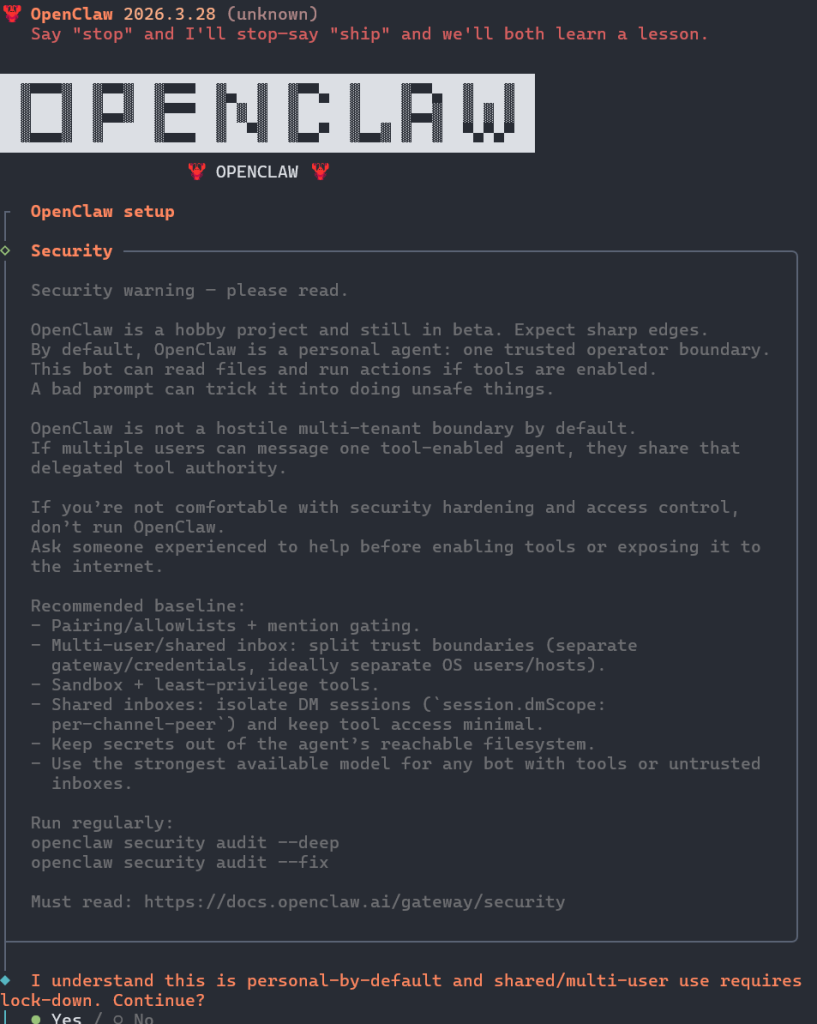
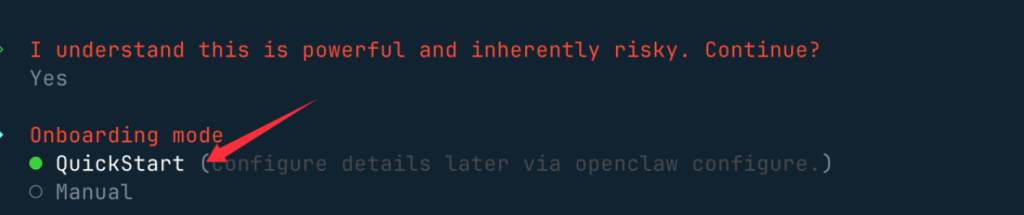
快速启动 QuickStart 选项:
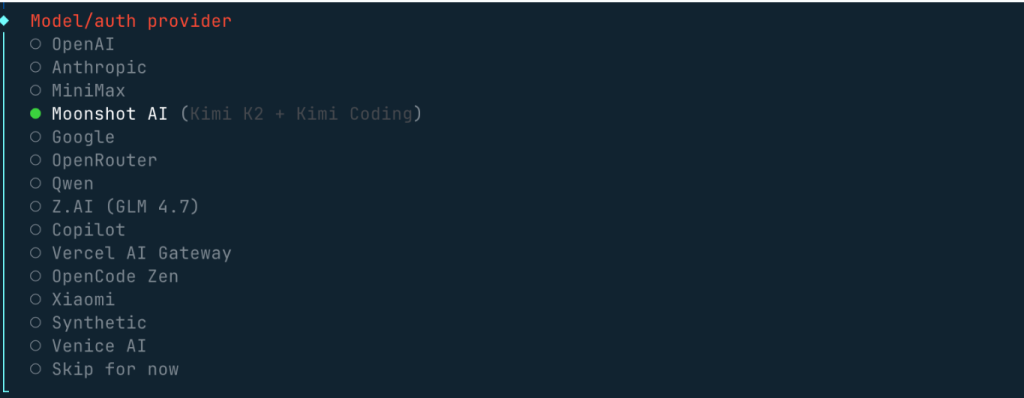
需要配置一个大模型,Model/Auth Provider 选择 AI 供应商,国内外的供应商基本都支持。
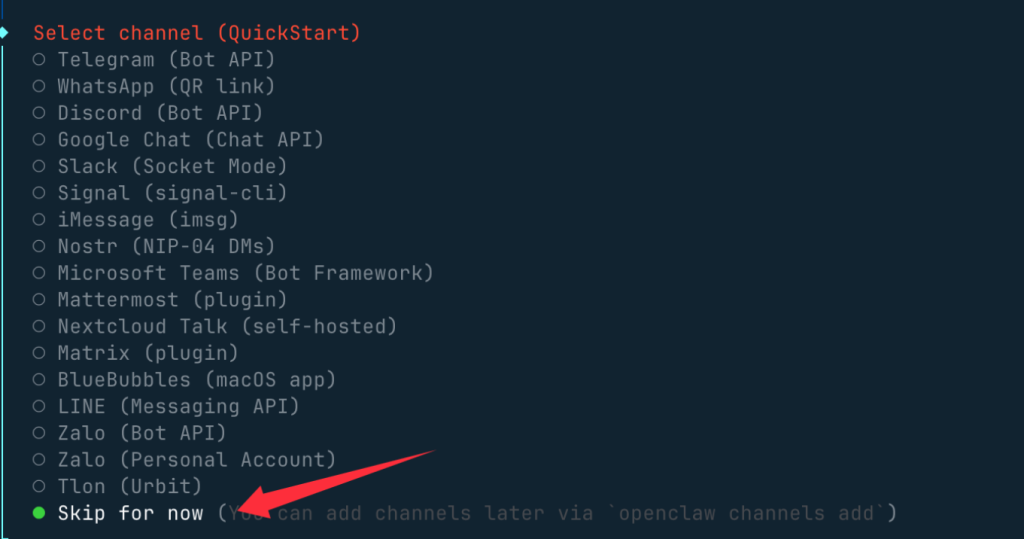
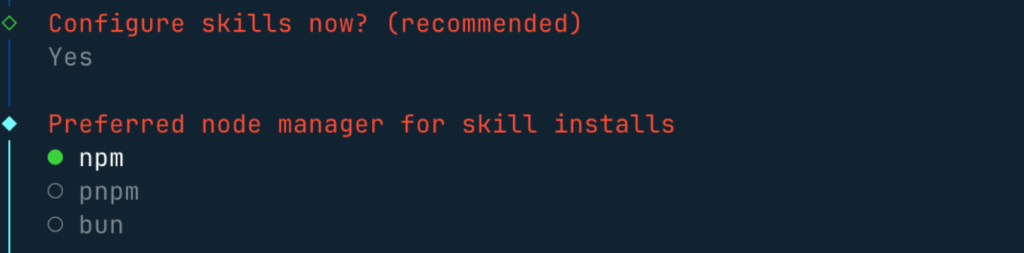
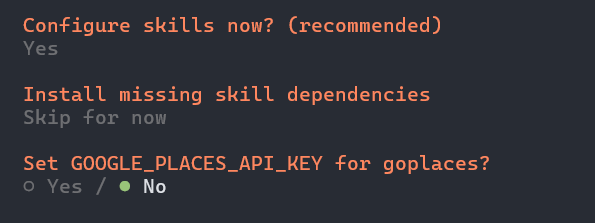
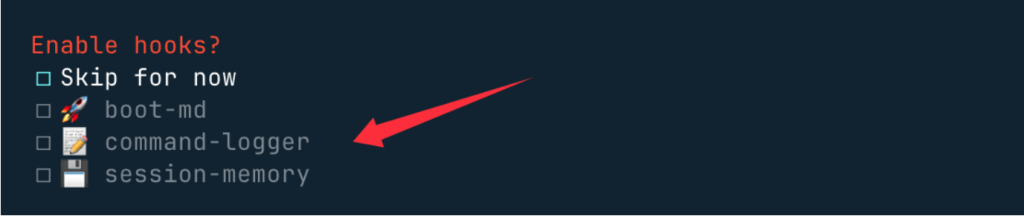
这三个钩子可以开启,使用空格按键选择,主要做内容引导日志和会话记录:
完成后会自动跳出web页面
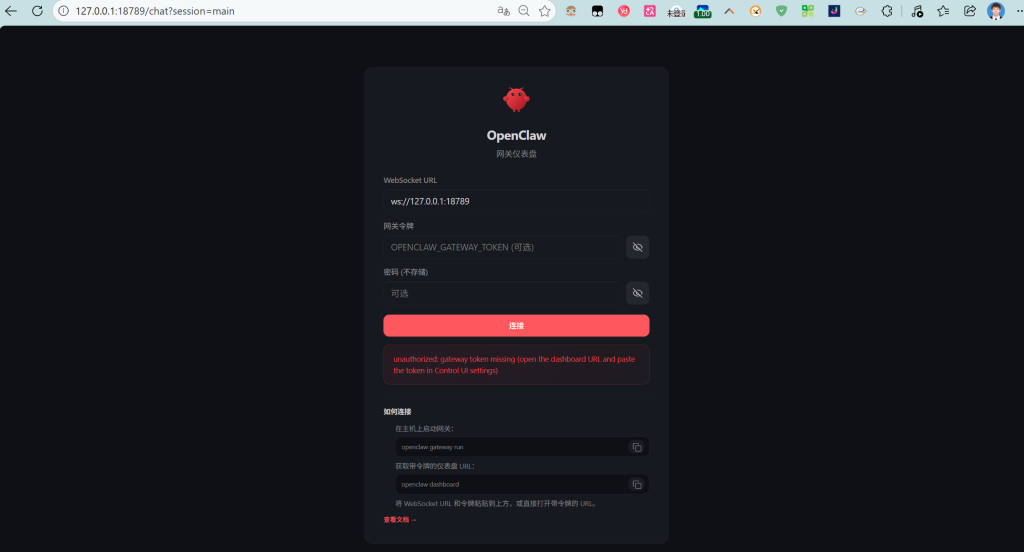
在终端输入
grep '^OPENCLAW_GATEWAY_TOKEN=' .env得到一串token密钥输入即可
官方 Docker 文档在“Unauthorized or pairing required in Control UI”里给的处理就是:先拿一个新的 dashboard 链接,然后列出设备请求,再批准当前浏览器这个 requestId。
WSL 里、~/apps/openclaw 目录 依次执行:
docker compose run --rm openclaw-cli dashboard --no-open
docker compose run --rm openclaw-cli devices list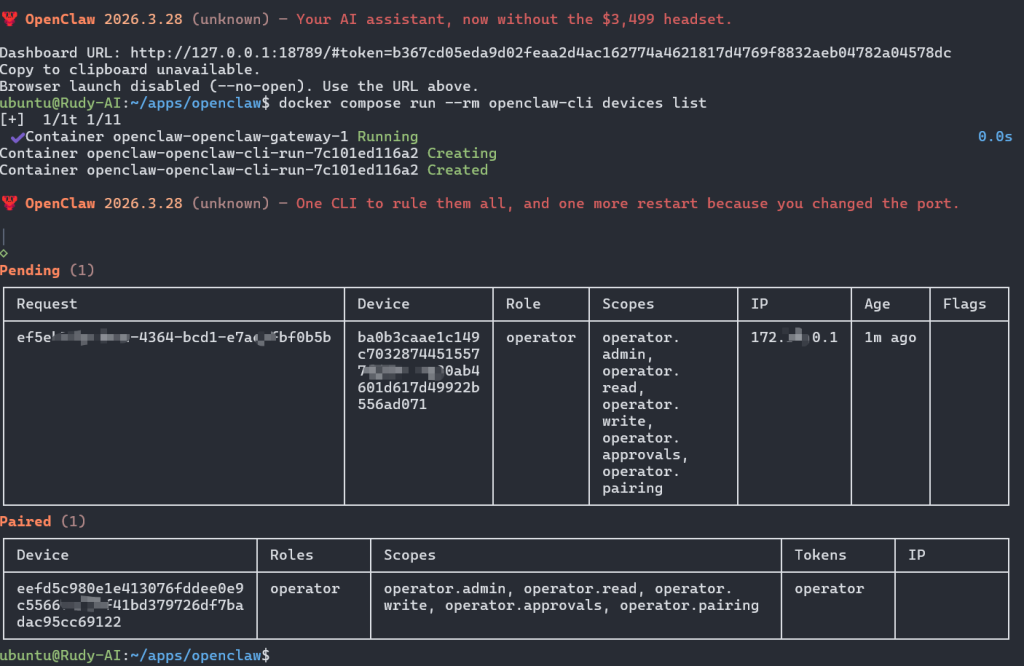
找到你刚刚这个浏览器对应的 requestId 后
docker compose run --rm openclaw-cli devices approve <requestId>2.配置
会显示添加成功,在打开原url页面,即可出现
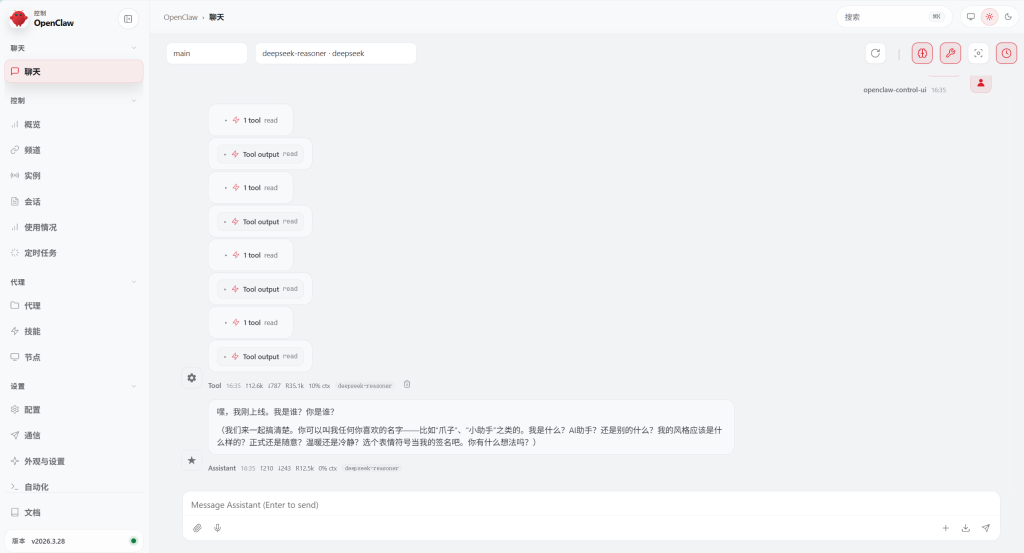
连接飞书
docker compose run --rm openclaw-cli channels add
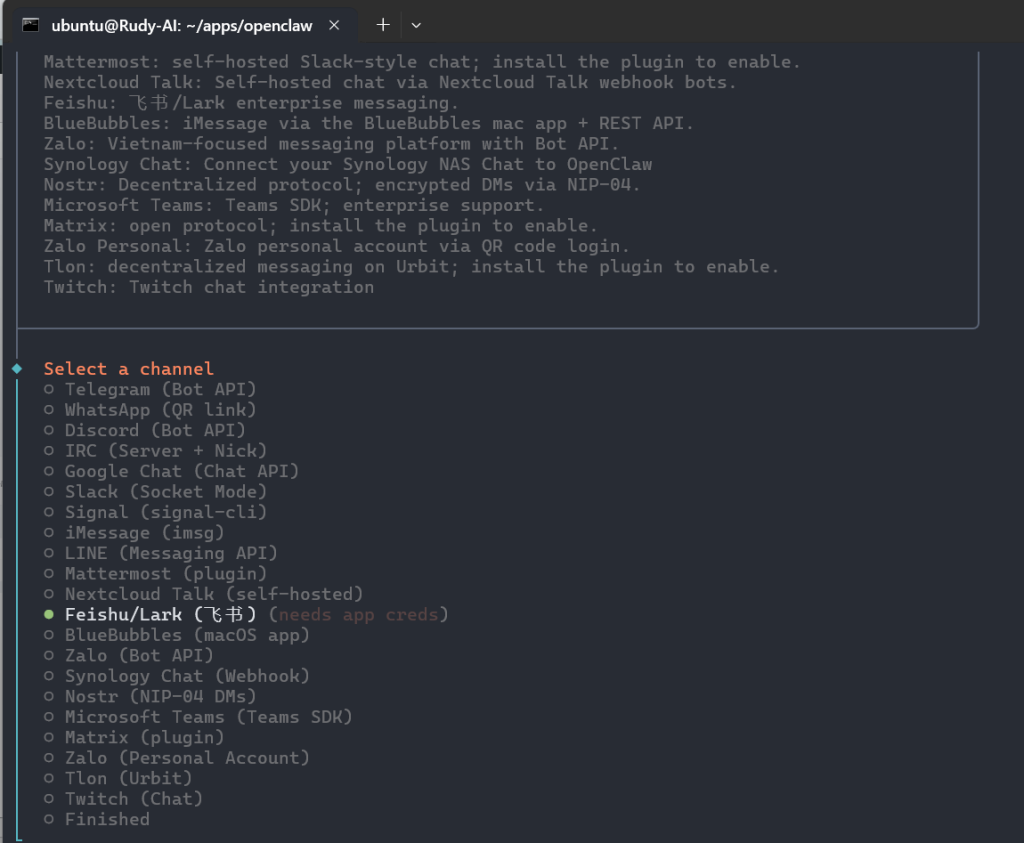
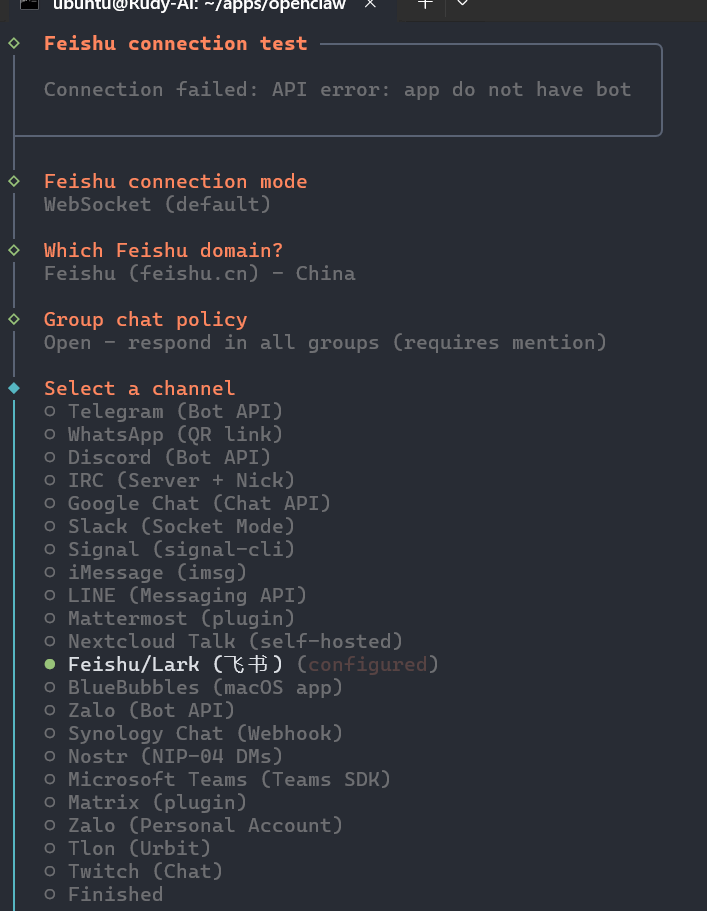
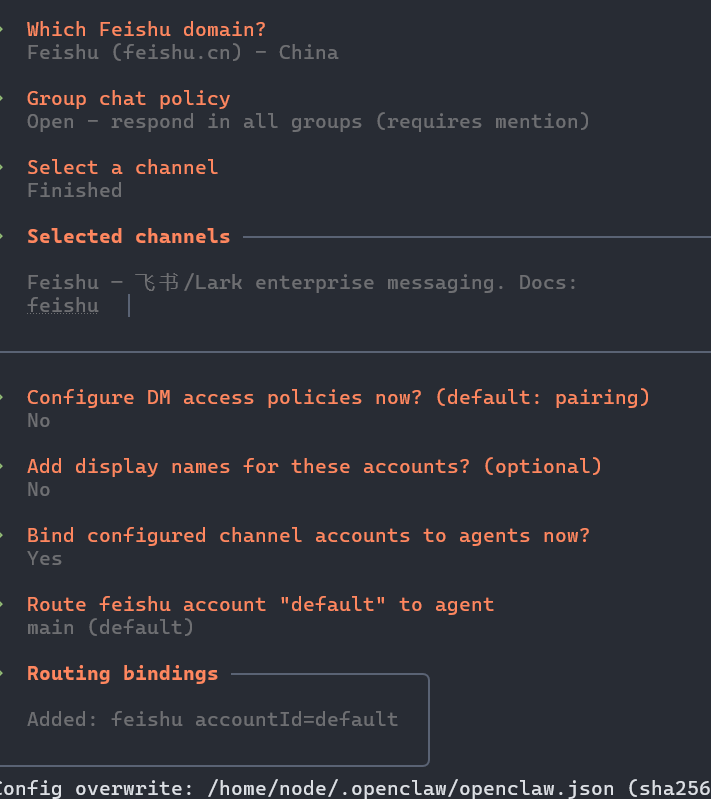
https://open.feishu.cn/app/
找到企业自建应用创建即可
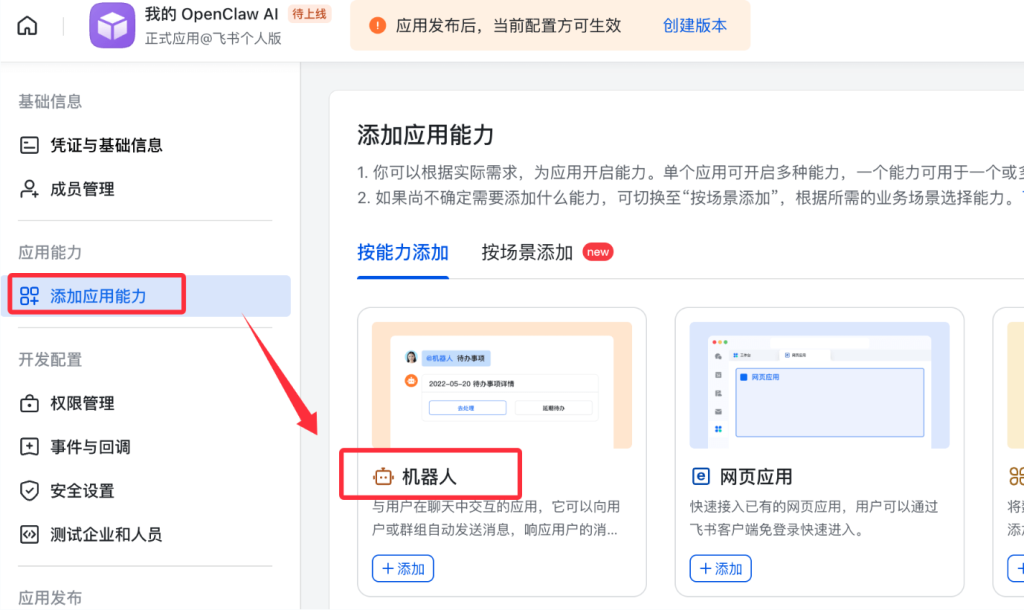
启用机器人能力
接下来回到我们飞书创建的应用界面,左侧菜单 → 添加应用能力 → 机器人,点击"添加"按钮,开启机器人能力:
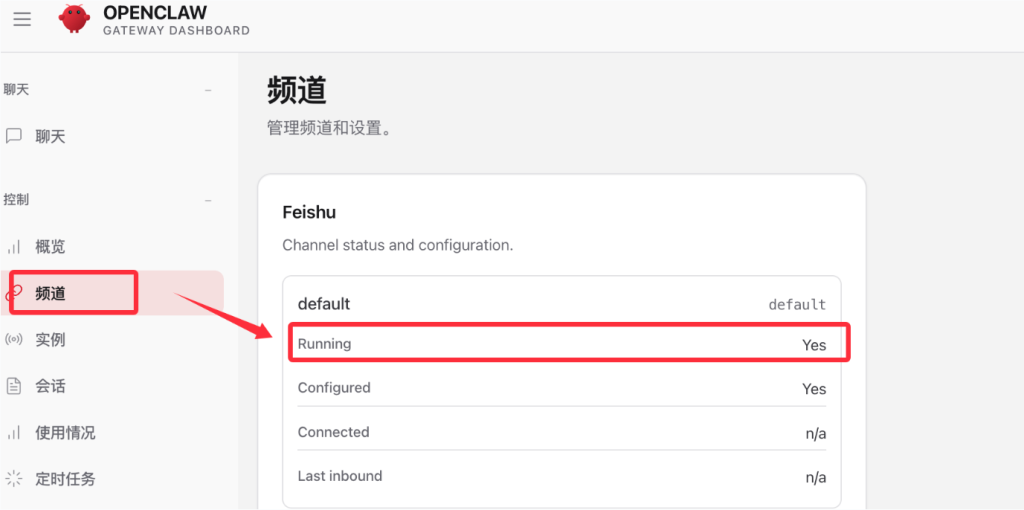
回到网页端,查看频道选项,可以看到飞书已经启用:
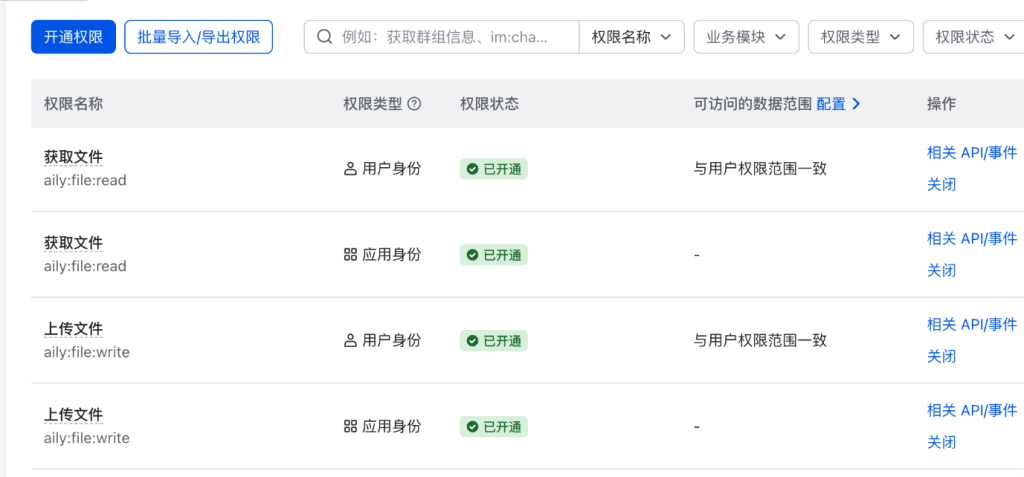
权限列表:
配置权限,左侧 → 权限管理 → 批量批量导入/导出权限
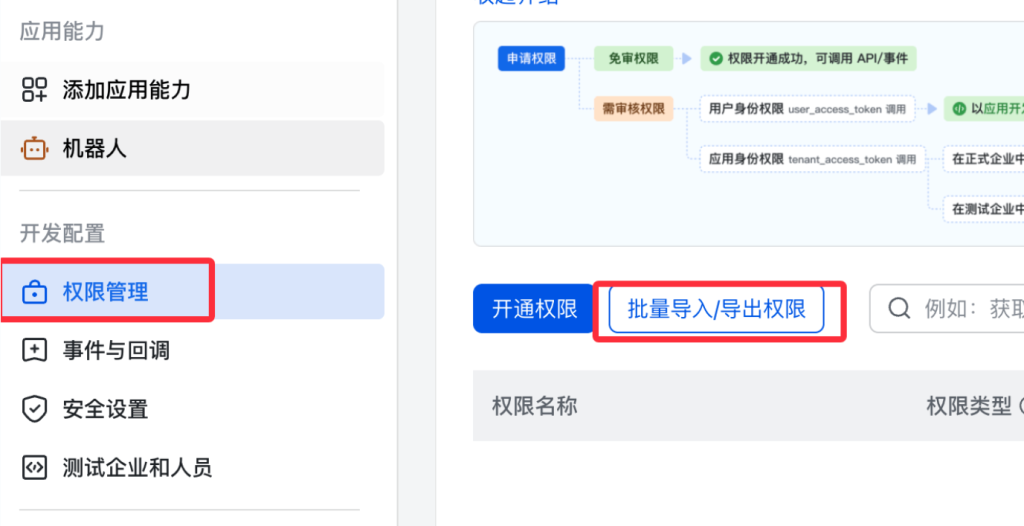
粘贴以下权限
{
  "scopes": {
    "tenant": [
      "aily:file:read",
      "aily:file:write",
      "application:application.app_message_stats.overview:readonly",
      "application:application:self_manage",
      "application:bot.menu:write",
      "cardkit:card:read",
      "cardkit:card:write",
      "contact:user.employee_id:readonly",
      "corehr:file:download",
      "event:ip_list",
      "im:chat.access_event.bot_p2p_chat:read",
      "im:chat.members:bot_access",
      "im:message",
      "im:message.group_at_msg:readonly",
      "im:message.p2p_msg:readonly",
      "im:message:readonly",
      "im:message:send_as_bot",
      "im:resource"
    ],
    "user": ["aily:file:read", "aily:file:write", "im:chat.access_event.bot_p2p_chat:read"]
  }
}
配置事件订阅
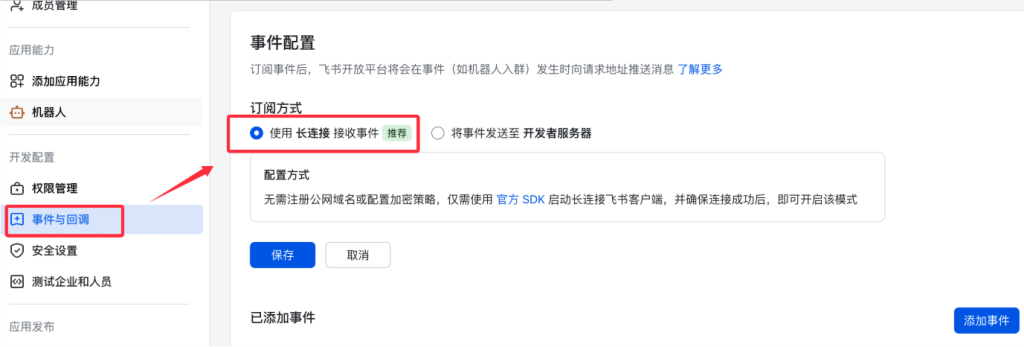
接下来我们需要为应用订阅相关事件,在左侧菜单选择事件与回调 → 事件配置:
订阅方式使用长连接接收事件(WebSocket),然后保存。
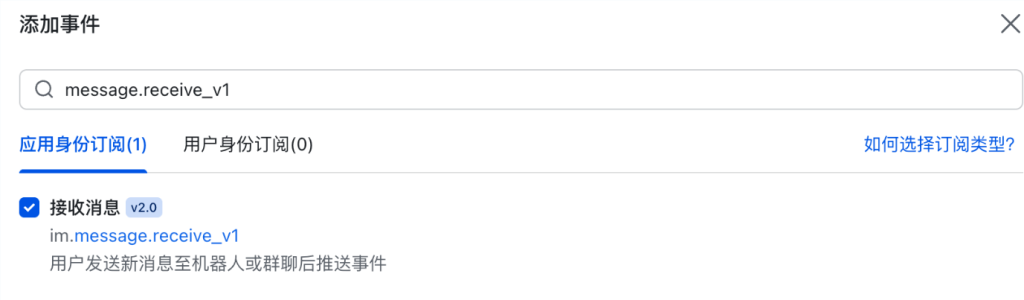
添加以下事件:
- im.message.receive_v1- 接收消息
- im.message.message_read_v1- 消息已读回执
- im.chat.member.bot.added_v1- 机器人进群
- im.chat.member.bot.deleted_v1- 机器人被移出群
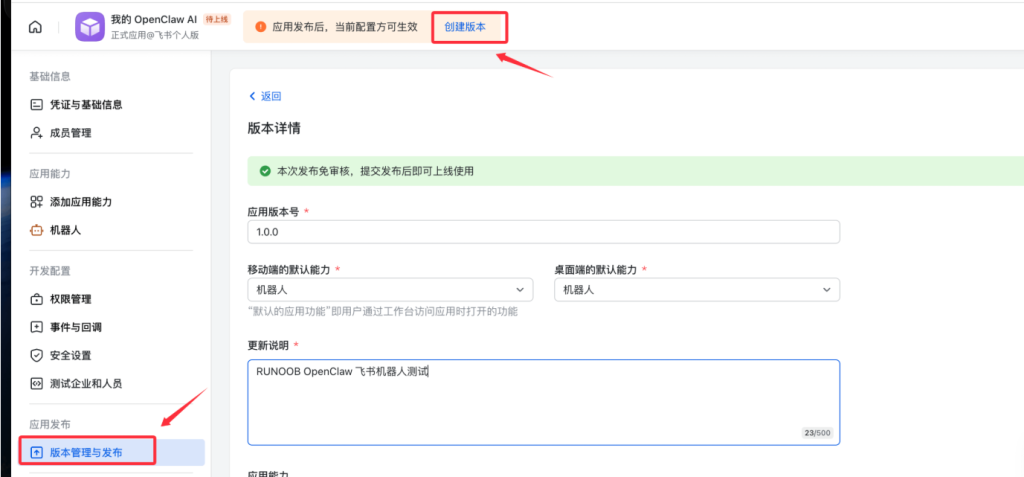
发布应用
左侧 → 版本管理与发布 → 创建版本 → 提交审核 → 发布:
docker容器里添加权限
ubuntu@Rudy-AI:~/apps/openclaw$ docker exec -it openclaw-openclaw-gateway-1 openclaw pairing approve feishu LBSFPRKF
11:45:20+00:00 [plugins] feishu_doc: Registered feishu_doc, feishu_app_scopes
11:45:20+00:00 [plugins] feishu_chat: Registered feishu_chat tool
11:45:20+00:00 [plugins] feishu_wiki: Registered feishu_wiki tool
11:45:20+00:00 [plugins] feishu_drive: Registered feishu_drive tool
11:45:20+00:00 [plugins] feishu_bitable: Registered bitable tools

🦞 OpenClaw 2026.3.28 (unknown) — I'm not saying your workflow is chaotic... I'm just bringing a linter and a helmet.
3.调试
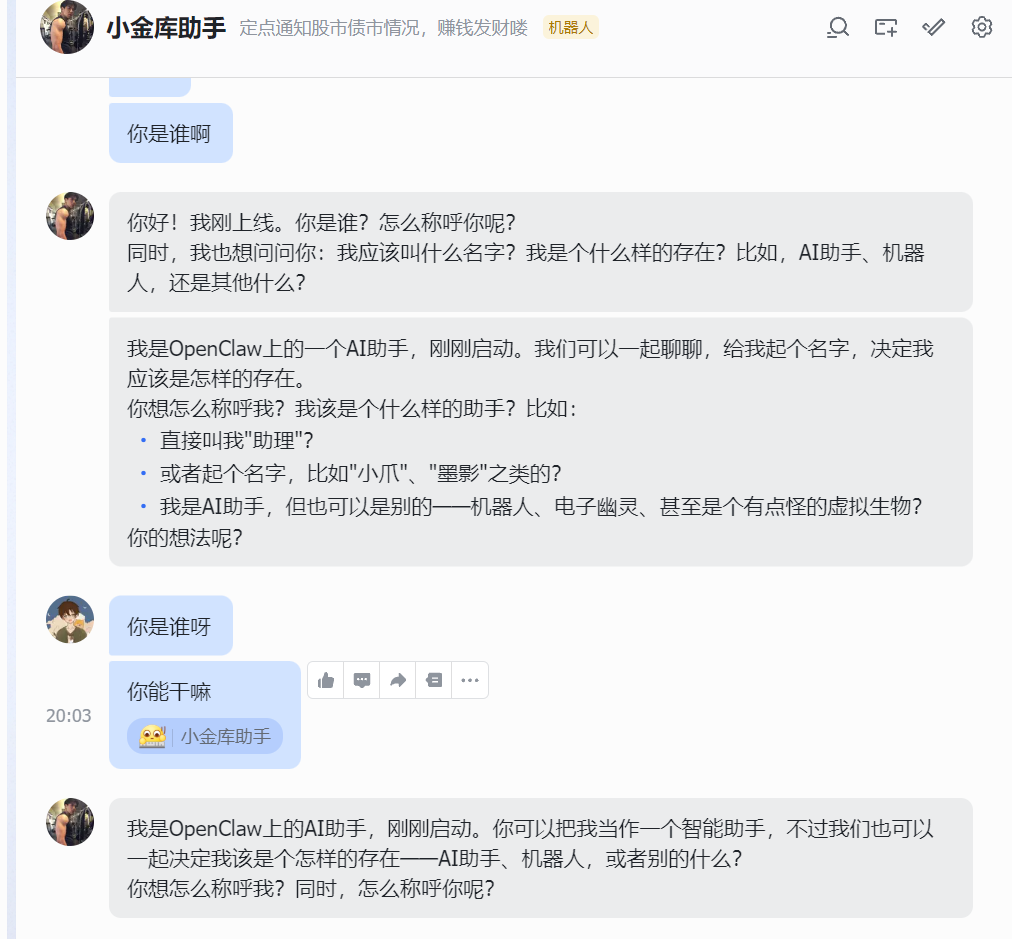
修改个性角色以及相关配置
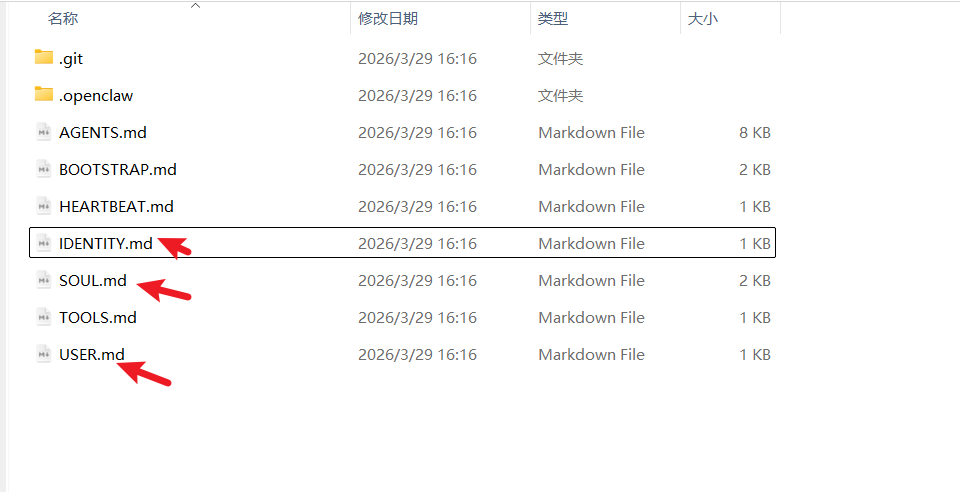
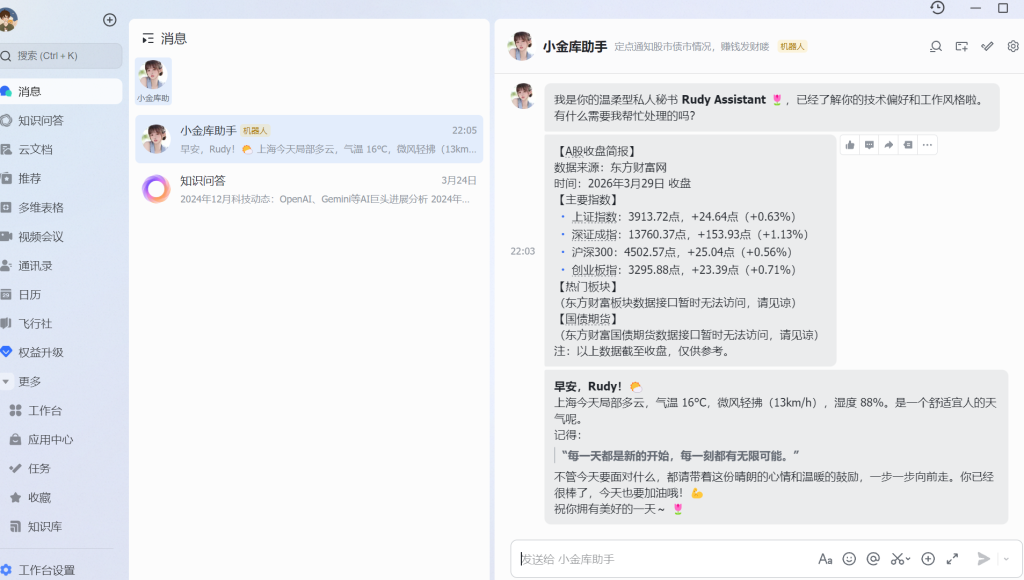
添加了几个定时任务,其实在工作空间加个skill一样道理。

效果体现:
docker exec -it openclaw-openclaw-gateway-1 openclaw cron run dc369bba-795a-4b5d-af22-73cde200a6ea定时+skill
二、权限问题
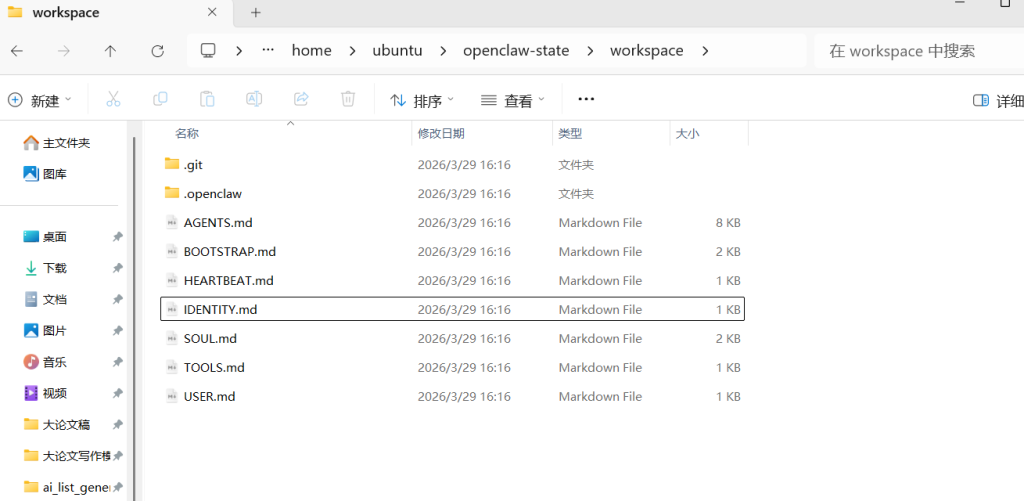
工作空间隔离在workspace里面,访问不到我的windows本地,可保证安全,后续如需工作助手自动化,只需加skills即可。
先更新到这里,有空再玩...
非特殊说明,本博所有文章均为博主原创。

共有 0 条评论